Inquiry
Form loading...

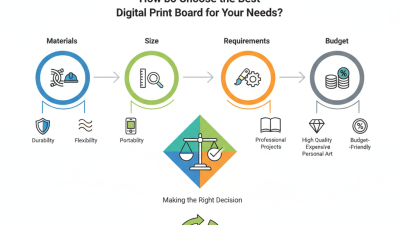
How to Choose the Best Digital Print Board?

A Digital Print Board can make a message clear, vivid, and easy to notice. The right choice depends on where it will be displayed and how people will view it. Small details matter. A board viewed from across a shop may need larger text and stronger contrast. A glossy finish can look bright under soft lighting but create glare near a window.

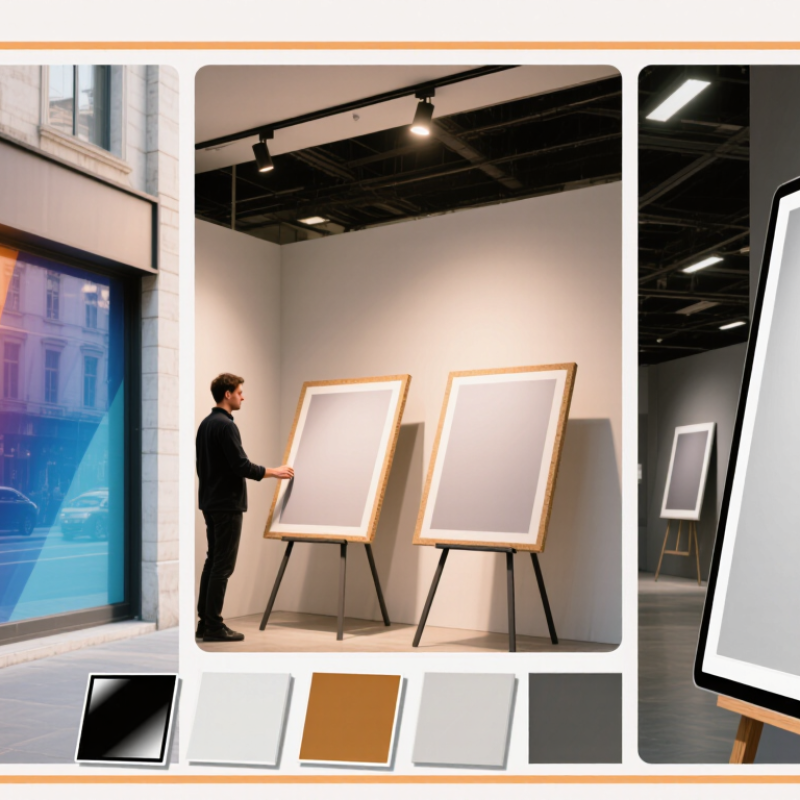
Before comparing products, define the board’s purpose, size, and expected display period. For a shop window, check how sunlight and reflections affect readability. For indoor exhibitions, consider viewing distance, room lighting, and how often the board will be moved. Ask suppliers about print resolution, surface finish, material thickness, and mounting options. Check a physical sample when possible. Colors can shift between a screen preview and a printed surface, so a sample helps reveal the difference. That step is easy to skip.

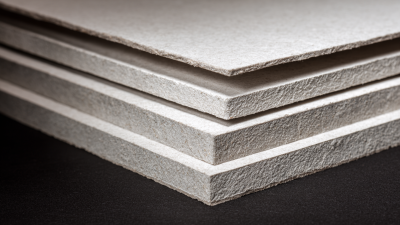
Material and construction affect both appearance and handling. Foam boards are light and practical for short displays, while more rigid panels may suit repeated use. Also consider edge quality, available sizes, and whether the board fits your frame or display stand. The cheapest option may work well, but only if its finish and strength match the setting. No board fits every project. This guide explains how to compare these factors, ask useful questions, and choose a Digital Print Board that suits your actual display needs—not just the product photo.
How to Choose the Best Digital Print Board?

Define the Purpose and Requirements for the Digital Print Board

Before comparing digital print boards, define the job the finished piece must do. Is it a short-term event sign, a retail display, or a panel that stays outdoors for months? Each use changes the material, finish, and mounting needs. A board beside a sunny shop window faces different conditions from one inside a quiet office.

Measure the available space and the typical viewing distance. A small menu board can use finer text, while a large exhibition panel needs clear lettering that remains readable several metres away. Note whether the artwork includes photographs, dense text, or large blocks of colour. These details affect the resolution and surface finish you should request. Start with the job.

Then check the environment and handling. Foam board is light and easy to mount indoors, but it can dent under repeated use. A rigid plastic or composite panel may cope better with frequent handling or damp conditions, though it can cost more and weigh more. Ask how the board will be fixed, transported, and cleaned. Measure twice. This part is easy to underestimate, and the cheapest option is not always the best value. Still, a long-lasting panel may be unnecessary for a one-day event. Define the lifespan and budget before choosing specifications.
Compare Board Materials, Formats, and Surface Finishes

Choosing a digital print board starts with its location and handling needs. Paper-faced foam board is lightweight and easy to mount for indoor displays, but its edges can dent during transport. PVC board tolerates regular wiping and suits busier spaces. Aluminum composite offers a rigid panel for longer-term displays, though it adds weight and cost. Light matters. Corrugated plastic is easy to carry, but it may flex under larger prints.

Choose a format that fits both the viewing distance and the route to installation. A wide panel can make small text readable from across a room, yet it may not fit through a narrow doorway. For oversized graphics, split panels can be easier to move; check how visible the joins will be before printing. Not always. A convenient format may create an awkward seam.

Surface finish changes both appearance and upkeep. Matte finishes reduce reflections near windows or bright ceiling lights, while gloss can make colors look richer under controlled lighting. A protective laminate helps resist scuffs and fingerprints, but it may add glare or slightly alter color. Ask for a printed sample, then view it in the actual space. That small test can reveal more than a screen preview, though matching screen color perfectly is rarely realistic.

How to Choose the Best Digital Print Board? - Compare Board Materials, Formats, and Surface Finishes
Compare common substrates and finishing options. Sizes and performance vary by supplier, thickness, printer, and installation conditions.
Board material Typical formats and thicknesses Print and surface options Strengths Limitations and best uses
Paper-faced foam board Commonly supplied in poster-sized sheets and larger panels; often around 3–10 mm thick. Exact sheet sizes vary by supplier. Direct printing on compatible equipment or mounting a printed graphic. Matte or gloss overlaminate can be added where suitable. Lightweight, smooth, and easy to cut; useful for short-term indoor displays. Paper faces and foam core can dent or warp with moisture. Best for indoor presentations, retail displays, and temporary signage.
Expanded PVC sheet Often available in formats such as 1220 × 2440 mm (4 × 8 ft), with thicknesses commonly ranging from about 3–10 mm; availability varies. Often printed directly with compatible UV flatbed equipment; adhesive-applied graphics are another option. Matte and gloss laminates are common finishing choices. Rigid, moisture-resistant, and suitable for shaping and fabrication. Can be heavier and less impact-resistant than corrugated plastic. Used for indoor signs and some sheltered outdoor applications, subject to print and installation specifications.
Corrugated polypropylene sheet Commonly supplied in sign-sized sheets; thickness is often around 3–6 mm. Sheet dimensions depend on the supplier and flute direction. Direct printing is possible with compatible equipment and surface preparation; printed films can also be applied. Lamination may be used if compatible with the sheet and application. Lightweight, water-resistant, and economical for temporary signs. Fluted construction can show through thin graphics; edges may admit moisture. Common for short-term outdoor notices, event signs, and directional signs.
Aluminum composite panel Often sold in larger panels, including formats around 1220 × 2440 mm (4 × 8 ft); overall panel thickness is commonly about 3–4 mm. Can be printed directly using compatible UV flatbed equipment or covered with applied graphics. The panel coating and ink system must be suitable for the intended use. Rigid, flat, and dimensionally stable; suitable for fabricated sign panels. Heavier and harder to cut than foam-based boards; exposed edges may require finishing. Used for durable signage, subject to the panel grade and installation conditions.
Acrylic sheet Available in a range of sheet sizes and thicknesses, commonly from a few millimetres upward; stock formats vary considerably. Direct UV printing or applied graphics may be suitable. Choose clear, white, or colored sheet and specify whether the image is printed on the front or reverse. Smooth, visually polished surface; clear sheet can create a layered or see-through effect. Can scratch and may crack if drilled or handled improperly. Used for indoor displays and selected sign applications; confirm outdoor suitability with the material and print specifications.
Surface finish and format selection
Option What it does Considerations
Matte laminate Reduces reflections and gives the graphic a low-sheen appearance. A practical choice for brightly lit interiors; may slightly soften perceived color or contrast.
Gloss laminate Adds a shiny surface and can make colors appear more vivid. Reflections can make text harder to read under direct lighting.
Unlaminated print Keeps the surface simple and avoids an additional film layer. The print’s resistance to abrasion, moisture, and fading depends on the ink, substrate, and environment.
Custom cut size Matches a particular display, frame, or installation area. Check maximum printer bed size, sheet availability, trim allowance, and whether cut edges need finishing.
Selection tip: Match the board to the expected display duration, exposure to moisture and sunlight, viewing distance, mounting method, and available print equipment. Confirm substrate and finish compatibility with the print provider before production.

Evaluate Print Quality, Resolution, and Color Performance

A digital print board should be judged by the image it produces, not just its listed specifications. Ask for a physical sample printed at the size you plan to use. Check fine text, thin lines, and smooth gradients under the lighting where the board will be displayed. Small details matter. I have found that a sample viewed on a desk can look different once mounted across a room.

Resolution needs to suit both the artwork and viewing distance. Enlarging a small image may reveal jagged edges or soft lettering, even when the board itself supports high-resolution output. Look closely at diagonal lines and small labels. For close-up displays, crisp detail matters more; for larger boards viewed from several metres away, the image may remain clear with less source detail. There is no single DPI figure that guarantees a good result.

Color performance deserves the same careful check. Compare printed reds, blues, and skin tones with the approved artwork under neutral, consistent light. Ask how the printer manages color profiles and whether the chosen surface affects saturation or contrast. A glossy finish can deepen colors but add glare; a matte surface may soften them. I still find this part easy to misjudge from a screen. Trust the printed proof, and note any color shifts before approving the full run.

Check Device Compatibility, Durability, and Maintenance Needs

A digital print board should match the printer’s feed path, not just the artwork dimensions. Check the supported sheet size, thickness, surface coating, and ink type in the printer documentation. A board that feels sturdy by hand may still bend at the rollers or produce uneven color. Test one sheet. It matters.

Durability depends on where the finished print will be used. Indoor boards may need a smooth, scuff-resistant surface, while displays near windows can fade under prolonged sunlight. For humid spaces, check whether the board absorbs moisture or warps at the edges. I have found that small sample prints reveal problems a product description can miss. Still, one test cannot predict every room or season.

Plan maintenance before choosing a finish. Dust and fingerprints show more clearly on dark, glossy boards, while textured surfaces can trap dirt in their grooves. Ask how the surface should be cleaned, and avoid assuming that a damp cloth is safe for every coating. Store spare sheets flat, away from heat and moisture. Keep a few test offcuts; they are useful for checking color and cleaning methods without risking a finished display.

Compare Total Costs and Verify the Board Before Purchase

How to Choose the Best Digital Print Board?

A low sheet price can hide costly waste. Compare the cost per usable printed panel, not just the price per board. Include ink, setup time, trimming, delivery, and rejected sheets.

Check whether the board’s thickness and surface coating suit your printer and finishing method. Ask for a small sample, then print it using your normal settings. Test color, adhesion, cutting, and edge quality.

A quick glance is not enough. This is easy to miss.

Estimate production energy as part of the job cost, especially for large runs. The U.S. Energy Information Administration’s 2023 Electric Power Monthly reported an average commercial electricity price of about 12.7 cents per kilowatt-hour. Treat that as a benchmark, not your local rate; calculate costs from your actual equipment and bill.

Record how much power printing and finishing use for a typical batch. Also test the board after it has rested in your workspace: humidity can affect curl and handling.

If the supplier’s sample passes but your own test does not, pause before ordering. A perfect sample is useful, but it is not proof every batch will behave the same way.